Iceberg Backup, Recovery, and Disaster Recovery: A Complete Guide

· 15 min read
Cazpian Engineering
Platform Engineering Team

Iceberg Backup Recovery and Disaster Recovery

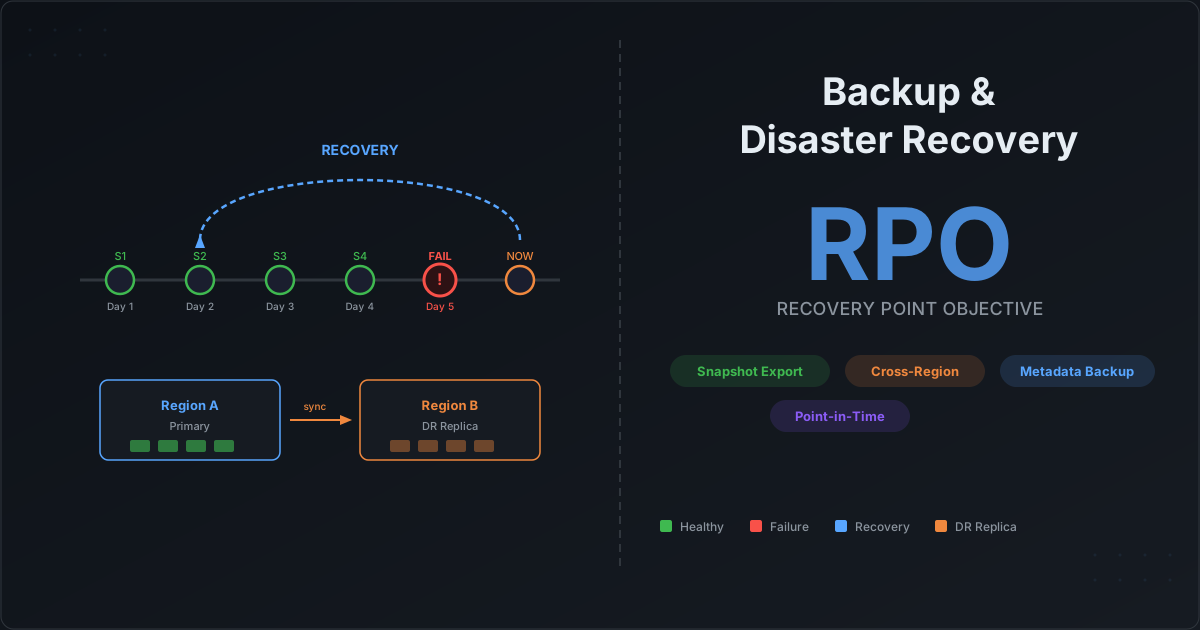
Someone dropped the table. Or worse — they dropped it and ran expire_snapshots and remove_orphan_files. The catalog entry is gone. The metadata cleanup already happened. Your Slack channel is on fire. Can you recover?

The answer depends entirely on what you set up before the disaster. Apache Iceberg does not have a built-in backup command. There is no UNDROP TABLE that magically restores everything. But Iceberg's architecture — with its layered metadata files, immutable snapshots, and absolute file paths — gives you powerful building blocks for backup and recovery if you understand how they work.

This guide covers three scenarios: recovering a dropped table when data files still exist on S3, building a proper backup strategy so you are always prepared, and setting up cross-region disaster recovery for production-critical tables.

Iceberg Query Performance Tuning: Partition Pruning, Bloom Filters, and Spark Configs

· 19 min read
Cazpian Engineering
Platform Engineering Team

Iceberg Query Performance Tuning

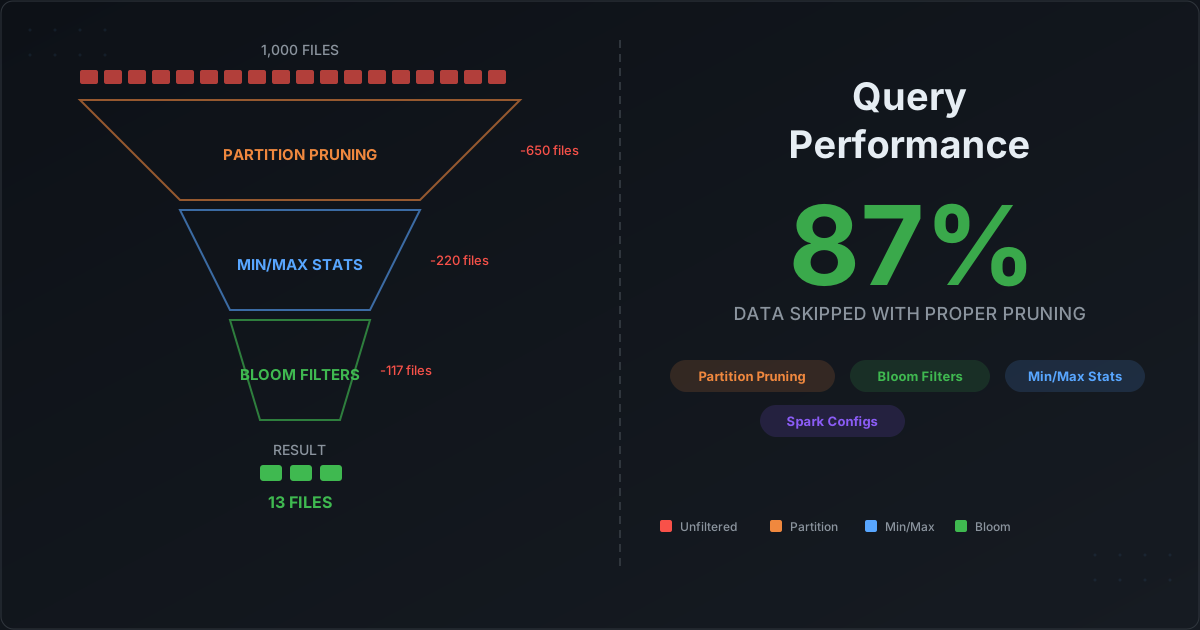
Your Iceberg tables are created with the right properties. Your partitions are well-designed. But your queries are still slower than you expected. The dashboard that should load in 3 seconds takes 45. The data scientist's notebook times out. The problem is not your table design — it is that you have not tuned the layers between the query and the data.

Apache Iceberg has a sophisticated query planning pipeline that can skip entire partitions, skip individual files within a partition, and even skip row groups within a file. But each of these layers only works if you configure it correctly. This post walks through every pruning layer, explains exactly how Iceberg uses metadata to skip work, and gives you the Spark configurations to control it all.

Iceberg Table Design: Properties, Partitioning, and Commit Best Practices

· 26 min read
Cazpian Engineering
Platform Engineering Team

Iceberg Table Design

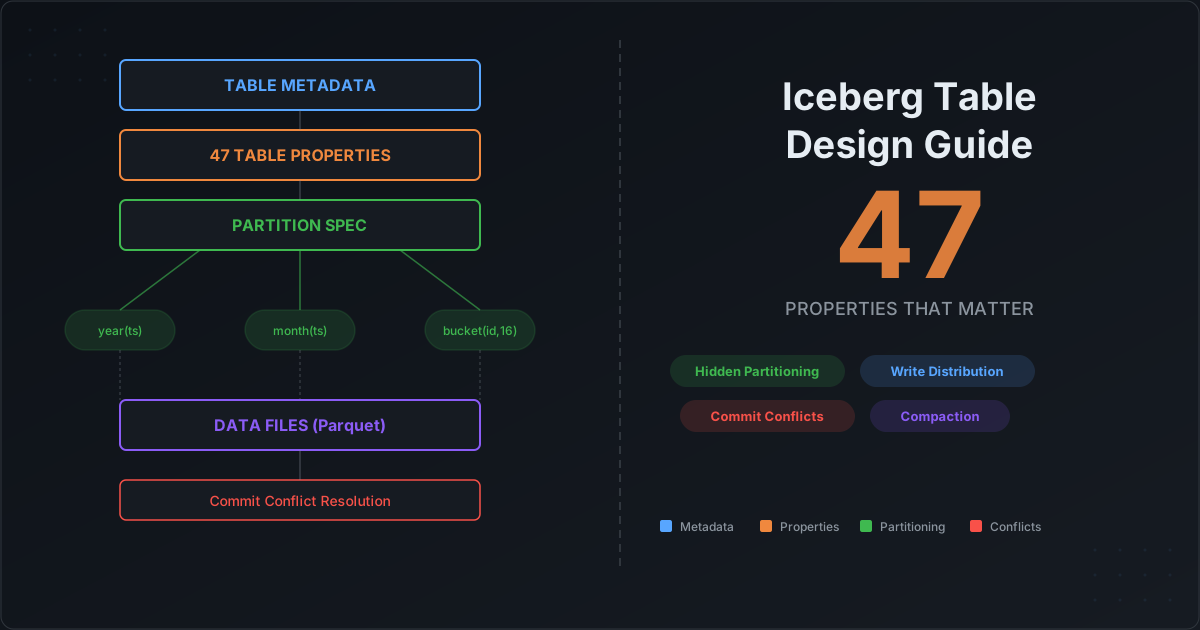
You have just migrated to Apache Iceberg — or you are about to create your first Iceberg table. You open the documentation and find dozens of table properties, multiple partition transforms, and configuration knobs that interact with each other in non-obvious ways. Where do you start? Which properties actually matter? How many buckets should you use? What happens when two jobs write to the same table at the same time?

This guide answers all of those questions. We will walk through every table property that matters for production Iceberg tables, explain how to design partition specs that balance read and write performance, cover commit conflict resolution, and give you concrete recommendations for both partitioned and non-partitioned tables.
How Apache Iceberg Makes Your Data AI-Ready: Feature Stores, Training Pipelines, and Agentic AI

· 12 min read
Cazpian Engineering
Platform Engineering Team

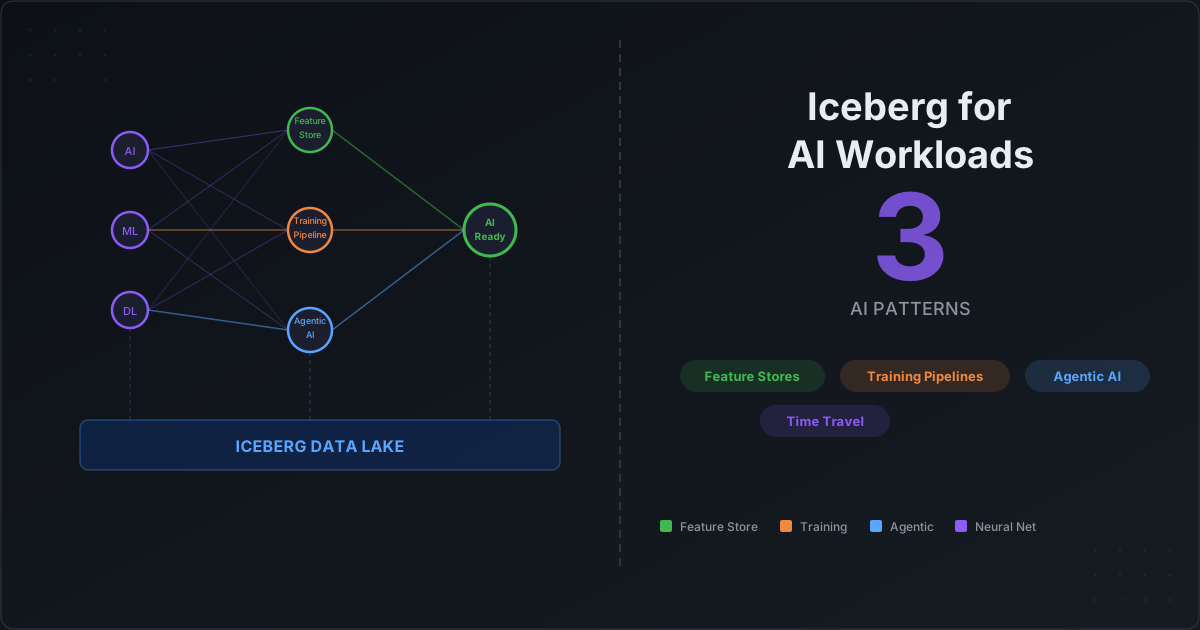
How Apache Iceberg Makes Your Data AI-Ready

Every AI project starts with the same bottleneck: data. Not the volume of data — most organizations have plenty of that. The bottleneck is data quality, data versioning, and data reproducibility. Can you guarantee that the dataset you trained on last month has not changed? Can you trace exactly which features went into a model prediction? Can you roll back a corrupted training set in minutes instead of days?

These are data engineering problems, not machine learning problems. And Apache Iceberg — originally built for large-scale analytics — turns out to solve them remarkably well.

This post covers four concrete patterns for using Iceberg as the data foundation for AI workloads: feature stores, training data versioning, LLM fine-tuning pipelines, and agentic AI data access.

Migrating From Hive Tables to Apache Iceberg: The Complete Guide — From On-Prem Hadoop to Cloud Lakehouse

· 24 min read
Cazpian Engineering
Platform Engineering Team

Migrating From Hive Tables to Apache Iceberg

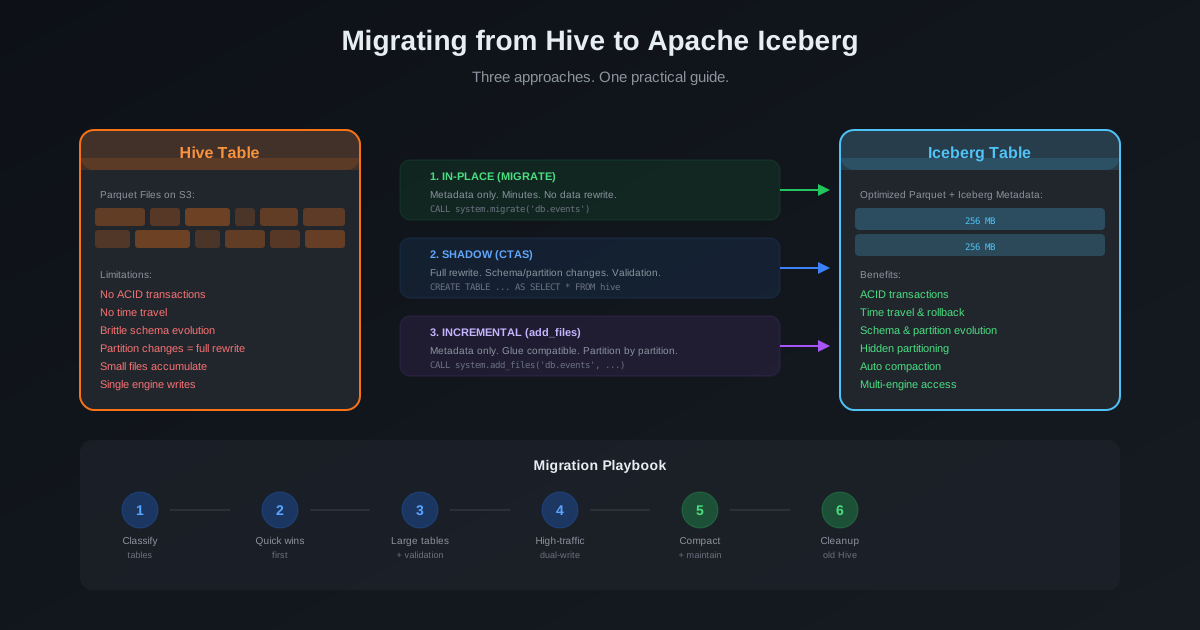
If you are reading this, you probably fall into one of two camps. Either your Hive tables are already on cloud object storage (S3, GCS, ADLS) and you want to convert them to Iceberg format. Or — and this is the harder problem — your Hive tables are sitting on an on-premises Hadoop cluster with HDFS, and you need to move everything to a cloud-based lakehouse with Iceberg.

This guide covers both scenarios. We start with the harder one — migrating from on-prem Hadoop HDFS to a cloud data lake with Iceberg — because that is where most teams get stuck. Then we cover the table format conversion for data already on cloud storage. Both paths converge at the same destination: a modern, open lakehouse built on Apache Iceberg.

Time Travel in Apache Iceberg: Beyond the Basics — Auditing, Debugging, and ML Reproducibility

· 12 min read
Cazpian Engineering
Platform Engineering Team

Time Travel in Apache Iceberg: Beyond the Basics

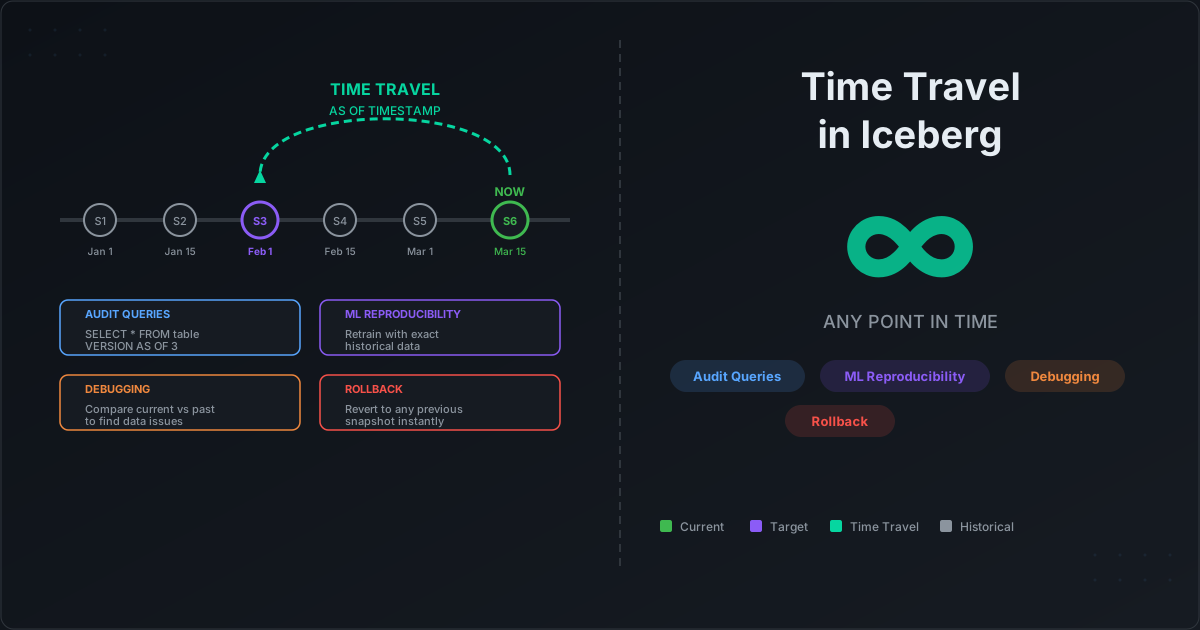
Every Apache Iceberg overview mentions time travel. "Query your data as it existed at any point in time." It sounds impressive, gets a mention in the feature list, and then most teams never use it beyond the occasional ad-hoc debugging query.

That is a missed opportunity. Iceberg's snapshot system is not just a convenience feature — it is a production-grade capability that can replace custom auditing infrastructure, eliminate data recovery anxiety, and solve one of machine learning's hardest problems: dataset reproducibility.

This post goes beyond the basics. We will cover the snapshot architecture, the practical query patterns, branching and tagging, the Write-Audit-Publish pattern, and real-world use cases that make time travel indispensable.

Schema Evolution in Apache Iceberg: The Feature That Saves Data Teams Thousands of Hours

· 10 min read
Cazpian Engineering
Platform Engineering Team

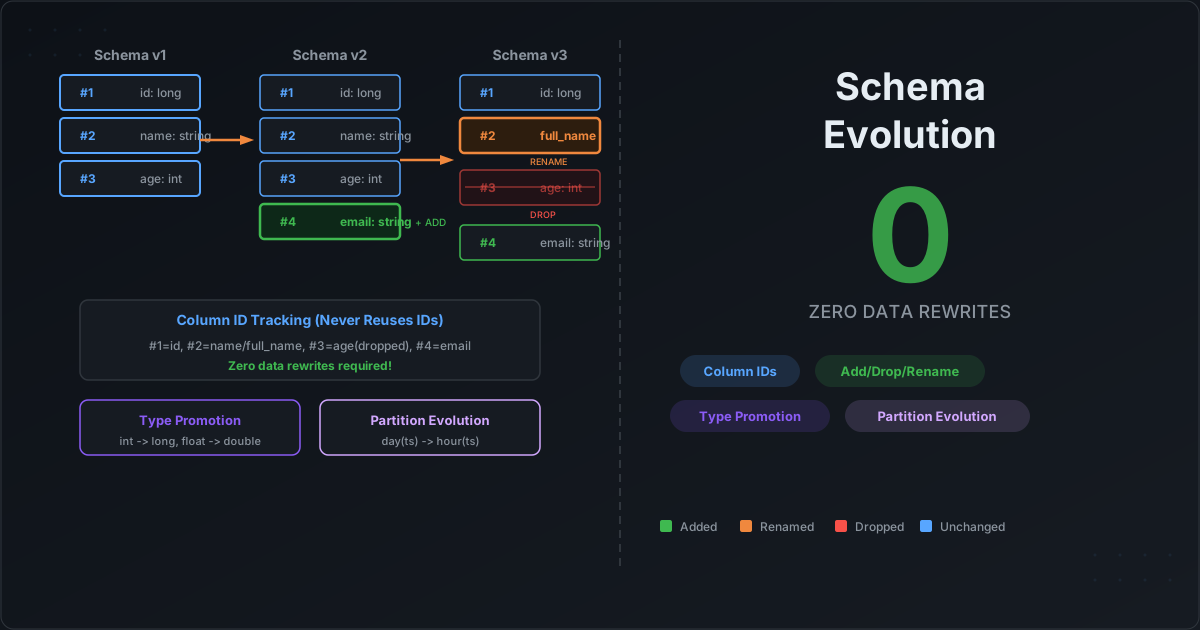
Schema Evolution in Apache Iceberg

Every data engineer has lived this nightmare: a product team needs a new field in the events table. In a traditional data warehouse, this means a migration ticket, a maintenance window, potentially hours of data rewriting, and a prayer that no downstream pipeline breaks. In a Hive-based data lake, it is even worse — you add the column, but old Parquet files do not have it, partition metadata gets confused, and three different teams spend a week debugging null values.

Apache Iceberg eliminates this entire class of problems. Schema evolution in Iceberg is a metadata-only operation. No data rewrites. No downtime. No broken queries. And the mechanism that makes this possible is both simple and elegant.

Apache Polaris: How Policy-Managed Table Maintenance Eliminates Iceberg Operational Overhead

· 12 min read
Cazpian Engineering
Platform Engineering Team

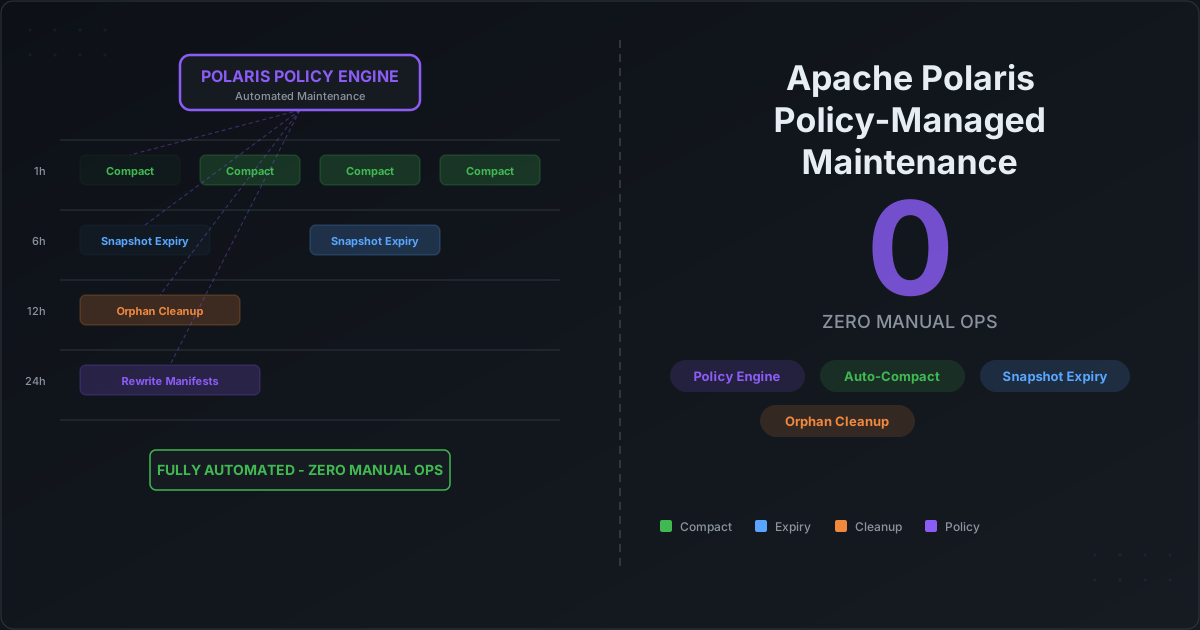
Apache Polaris: Policy-Managed Iceberg Table Maintenance

In our previous post, we covered how to control Iceberg file sizes at write time and how to fix small file problems with Iceberg's table maintenance procedures. The conclusion was clear: the tools are excellent, but manually scheduling and managing maintenance across dozens or hundreds of tables does not scale.

This post is about the layer that solves that problem: Apache Polaris — the open-source Iceberg catalog that introduces policy-based table maintenance, letting you define optimization rules once and have them applied automatically across your entire lakehouse.

Mastering Iceberg File Sizes: How Spark Write Controls and Table Optimization Prevent the Small File Nightmare

· 13 min read
Cazpian Engineering
Platform Engineering Team

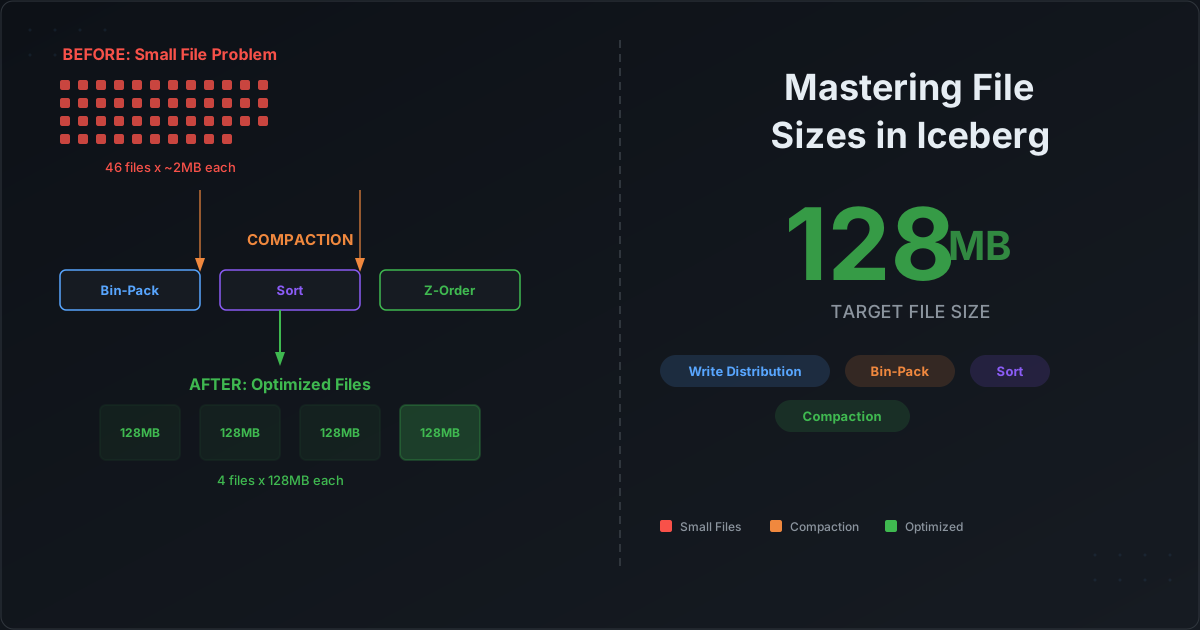
Mastering Iceberg File Sizes: Spark Write Controls and Table Optimization

Every data engineer who has worked with Apache Iceberg at scale has hit the same wall: query performance that mysteriously degrades over time. The dashboards that used to load in two seconds now take twenty. The Spark jobs that processed in minutes now crawl for an hour. The root cause, almost always, is the same — thousands of tiny files have silently accumulated in your Iceberg tables.

The small file problem is not unique to Iceberg. But Iceberg gives you an unusually powerful set of tools to prevent it at the write layer and fix it at the maintenance layer. The catch is that most teams never configure these controls properly — or do not even know they exist.

Why Every Data Company Is Betting on Apache Iceberg — And What It Means for AI

· 13 min read
Cazpian Engineering
Platform Engineering Team

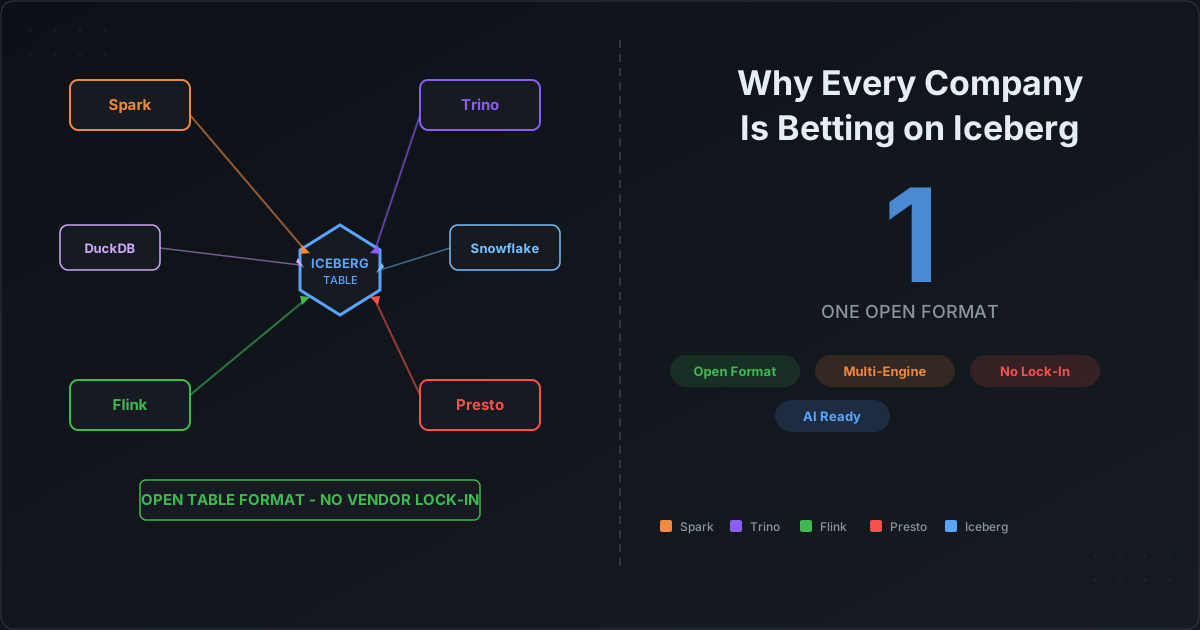
Why Every Data Company Is Betting on Apache Iceberg

Something unusual is happening in the data industry. Companies that have spent years — and billions of dollars — building proprietary storage formats are now rallying behind an open-source table format created at Netflix. Snowflake, Databricks, Dremio, Starburst, Teradata, Google BigQuery, AWS — the list keeps growing. They are not just adding Iceberg as a checkbox feature. They are making it central to their platform strategy.

If you are a data engineer, you have almost certainly heard of Apache Iceberg by now. But the more interesting question is not what Iceberg is — it is why every major vendor has decided that their own proprietary format is no longer enough.